Open source Astro Agency Partner Sitecore JSS + Content SDK

EXDST × ASTRO × SITECORE

Astro for Sitecore. Faster than Next.js. Built by EXDST.

We built and open-sourced the Astro SDKs that let Sitecore XM, XP, and SitecoreAI ship as Astro sites — outperforming the Next.js reference on every Lighthouse run we measured.

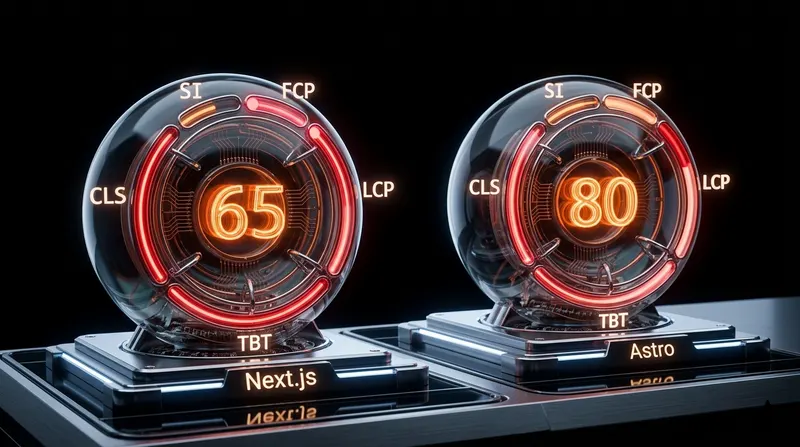
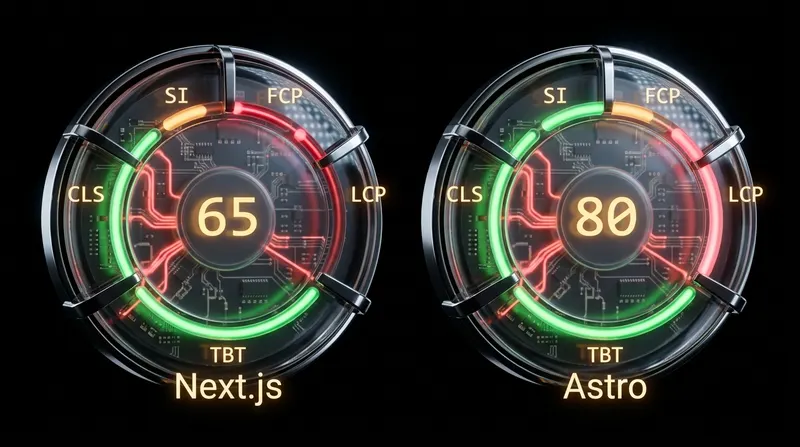
+30 Lighthouse Perf vs Next.js Content SDK on Sitecore's official demos (mobile)
+15 Lighthouse points on Sitecore JSS — on Sitecore Verticals demo
3.2s Faster Largest Contentful Paint, averaged across the demo
20.7s Faster on the heaviest product page (LCP, mobile)


The problem

Sitecore + Next.js is the default.
The default isn't always the best.

For content-heavy sites

Sitecore's official headless story is Next.js — JSS, then Content SDK. It works, but it ships React to the browser whether the page needs it or not. On marketing sites, blog estates, and multilingual brand portals, that's wasted bytes on every visit.

Astro renders to HTML by default and only hydrates the islands that actually need JavaScript. For Sitecore content sites that's a Lighthouse jump and seconds off LCP — the difference between a fast page and a slow one.

JS-by-default
Heavy bundles
Slow LCP
Expensive hosting

What we built

One framework, both Sitecore stacks.
Faster on every page.

Two open-source SDKs with full feature parity to the Next.js reference. We proved it twice — on the 140-page Sitecore Verticals demo (JSS) and on all four Sitecore Content SDK starter sites (article, location, product, skatepark) ported to Astro and benchmarked head-to-head with Sitecore's own Next.js Content SDK starter.

Capabilities

Everything Next.js can do.
In Astro.

Every Sitecore feature your editors and developers depend on, ported to Astro. Click a tab to see how it works.

Render <Text>, <RichText>, <Image>, <Date>, <Link>, <File>, <Number>, <Checkbox> on any page — the same field API your dev team already knows from JSS/Content SDK.

Field components are edit-mode aware out of the box: in Pages or Experience Editor they render the editing chrome, in production they render clean HTML. <AstroImage> takes it further — Sitecore media gets piped through Astro's image service for responsive variants, lazy loading, and image optimization without a single line of glue code.

Migrating an existing React component? Copy the field bindings, swap React syntax for Astro, ship.

10 field types Editor-safe Astro-native

Fields

  • Text
    single-line and multi-line text fields
  • RichText
    WYSIWYG content with HTML output
  • Image
    responsive Sitecore media
  • AstroImage
    Astro-optimised image with image service
  • Link
    internal, external, and media links
  • Date
    formatted Sitecore date fields

Results

Same Sitecore content. Half the load time.
Every Lighthouse run.

+30

Lighthouse Perf, mobile

Sitecore Astro 91 vs Sitecore Next.js Content SDK 61, averaged across 17 pages over 68 Lighthouse runs.

3.2 s

Faster LCP

Sitecore Astro 2.96s vs Sitecore Next.js 6.16s on mobile — the same Sitecore Content SDK pages, two frameworks.

858 ms

Less main-thread blocking

Total Blocking Time on mobile: Astro 170ms vs Next.js 1,028ms. Editors hit Save, users feel the difference.

"Astro was, Astro is, and Astro will be the way to get the most performant Sitecore websites. There are still no competitors who can get results similar to it."

Anton Tishchenko

CTO, EXDST

What's changing

Content SDK is the future.
We already shipped Astro for it.

Sitecore is steering SitecoreAI customers from JSS toward the lighter Content SDK — fewer dependencies, faster cold starts, less surface area to maintain.

We saw it coming. Our Astro Content SDK starter shipped alongside our JSS Astro SDK, so XM/XP and SitecoreAI customers get the same Astro speed advantage from day one.

Pick whichever fits your project — JSS for XM and XP, Content SDK for SitecoreAI. Both ship as Astro sites. Both outperform Next.js.

Recognition

Selected.
Astro Agency Partner.

Astro launched its Agency Partner Program in April 2025 — a vetted list of agencies that build production-grade Astro at scale. EXDST was selected at launch, on the strength of our open-source Sitecore-Astro work.

Read the announcement
Sitecore Astro SDK — Astro Agency Partner

Get started

An easy start for
Sitecore on Astro.

Pick the SDK that matches your Sitecore stack and run two commands. Both ship Astro projects you can deploy to Vercel, Netlify, or your own infrastructure.

  1. 01

    Pick your SDK

    # XM / XP
    @astro-sitecore-jss/astro-sitecore-jss
    
    # SitecoreAI (XM Cloud)
    @exdst-sitecore-content-sdk/astro
  2. 02

    Scaffold the project

    # XM / XP
    npx @astro-sitecore-jss/create-astro-sitecore-jss@latest
    
    # SitecoreAI (XM Cloud)
    npx @exdst-sitecore-content-sdk/create-astro
  3. 03

    Or clone the starter

    # XM / XP
    git clone https://github.com/exdst/jss-astro-public
    
    # SitecoreAI (XM Cloud)
    git clone https://github.com/exdst/astro-xmcloud-starter-js
  4. 04

    Connect Sitecore

    # .env
    SITECORE_API_HOST=...
    SITECORE_API_KEY=...
    SITECORE_SITE_NAME=...
  5. 05

    Run dev or build

    npm run dev   # http://localhost:4321
    npm run build # static or hybrid output

Build journal

Read every step.

Talk to us

Your Sitecore site,
running on Astro,
next quarter.

Send a note. We'll come back with a phased plan — pick a representative page or template, port it to Astro, measure the Lighthouse delta on your real content, decide what to roll out next.