Open source Product of the Day GitHub

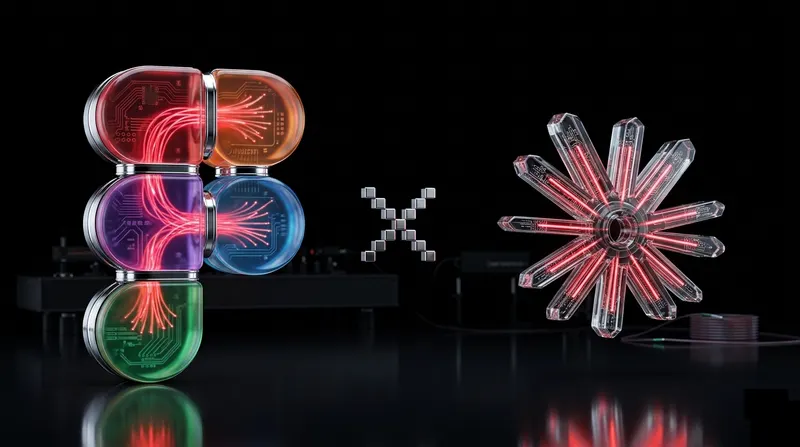
EXDST × FIGMA × ANTHROPIC MCP

We taught AI to design in Figma

An open-source MCP server that lets Claude, Cursor, and any MCP-aware client read AND write Figma design documents — not just read them. Built before Figma shipped the Claude Code plugin, Anthropic released Claude Design, and Google made Stitch.

Product of the Day on Product Hunt
140+ GitHub stars
Read+Write Where the official MCP stops at read
MCP clients — any tool that speaks the protocol

The problem

Developers got an agent.
Designers got a
read-only API.

For designers

Cursor, Claude Code, and ChatGPT eat developers' to-do list. Drafts, refactors, scaffolds — done in minutes.

The same agents stop at the door of Figma. The official Figma MCP is read-only. Designers were left out of the productivity boom.

Manual layouts
No bulk renaming
No component scaffolding
No round-tripping

What we built

One MCP server.
Every designer move.

An open-source MCP server, a WebSocket relay, and a Figma plugin that listens. Connect any MCP-aware client and design alongside the agent — read and write, in the same document context.

Figma surface

PL Figma plugin (sandbox)
FG Figma document

figma-mcp-server

WS WebSockets server :38450

figma-mcp-server

24 tools
across nodes, components, images, layouts

• create• read• update• delete
QU Queue match calls

AI Agents

CL Claude Desktop
GP ChatGPT
CC Claude Code
CR Cursor / Windsurf / VS Code
IN MCP Inspector

Capabilities

Things you can ask
your designer's agent to do.

Each capability is one or more MCP tools. Click a tab to see a real prompt and what the plugin does in your document.

Prompt

"Create input text component with vertical layout with label and input text. Component should have 2 properties: label and placeholder. Input width should grow based on component width."
8 nodes 2 properties 1 component 2 minutes

MCP tools used

  • create-component create
    scaffold a new component frame
  • create-node create
    add label and input children
  • auto-layout update
    set vertical auto layout
  • set-property update
    expose label and placeholder props
  • find-by-id read
    verify created node tree

Results

Designer work that used to take a day,
now takes a coffee break.

5 ×

Faster scaffolding

Components, properties, auto layouts spun up from a one-line prompt — not click-by-click.

1 ×

Product of the Day

Featured on Product Hunt for our open-source community Figma MCP server.

140 +

GitHub stars

Adopted by designers and toolmakers around the open-source MCP community.

"We anticipated this gap would close — and it did. Figma, Claude Code, and Google Stitch all shipped their answers. We shipped first, won Product of the Day, and stayed open-minded enough to use whichever tool fits the project. Loyalty is to the outcome, not the codebase."

Anton T.

CTO, EXDST

What's changing

We ship today's tool.
And tomorrow's, too.

We shipped our Figma MCP server in December 2025 and presented the architecture at The Context #27 in January 2026.

Two months later, Figma rolled out their own Claude Code → Figma plugin. Google released Stitch. Anthropic released Claude Design. We anticipated the wave — and welcome it.

We pick whatever fits the project best — including tools we didn't ship ourselves. Loyalty is to the outcome, not the codebase.

Recognition

#1 Product of the Day
on Product Hunt.

Our open-source Figma MCP server won Product of the Day on Product Hunt in January 2026. No paid upvotes, no warm-up campaign — just a useful tool, shared in the open.

View on Product Hunt
Figma MCP server — Product of the Day

Get started

Five steps.
Ten minutes.

Clone, build, install in Figma, run the relay, point your client.

  1. 01

    Clone the repository

    git clone https://github.com/Antonytm/figma-mcp-server
  2. 02

    Build the Figma plugin

    cd plugin
    npm i
    npm run build
  3. 03

    Import the plugin in Figma

    # Plugins → Development → Import plugin from manifest
    # select /plugin/manifest.json
  4. 04

    Start the MCP server

    cd mcp
    npm i
    npm run start  # listens on http://localhost:38450
  5. 05

    Connect your MCP client

    # Streaming HTTP transport
    http://localhost:38450/mcp

Build journal

Read every step.

Talk to us

Your AI-native
Figma partner,
on call.

Want this running on your team's design files next week? Send a note. We'll come back with a connection plan, scoped to your designers' and developers' workflows.